> For the complete documentation index, see [llms.txt](https://help.blings.io/llms.txt). Markdown versions of documentation pages are available by appending `.md` to page URLs; this page is available as [Markdown](https://help.blings.io/apps/blings-platform/integration.md).
# Integration
Collect project-specific delivery URLs, thumbnails, custom code, spreadsheet outputs, and SDK instructions in Platform Integration
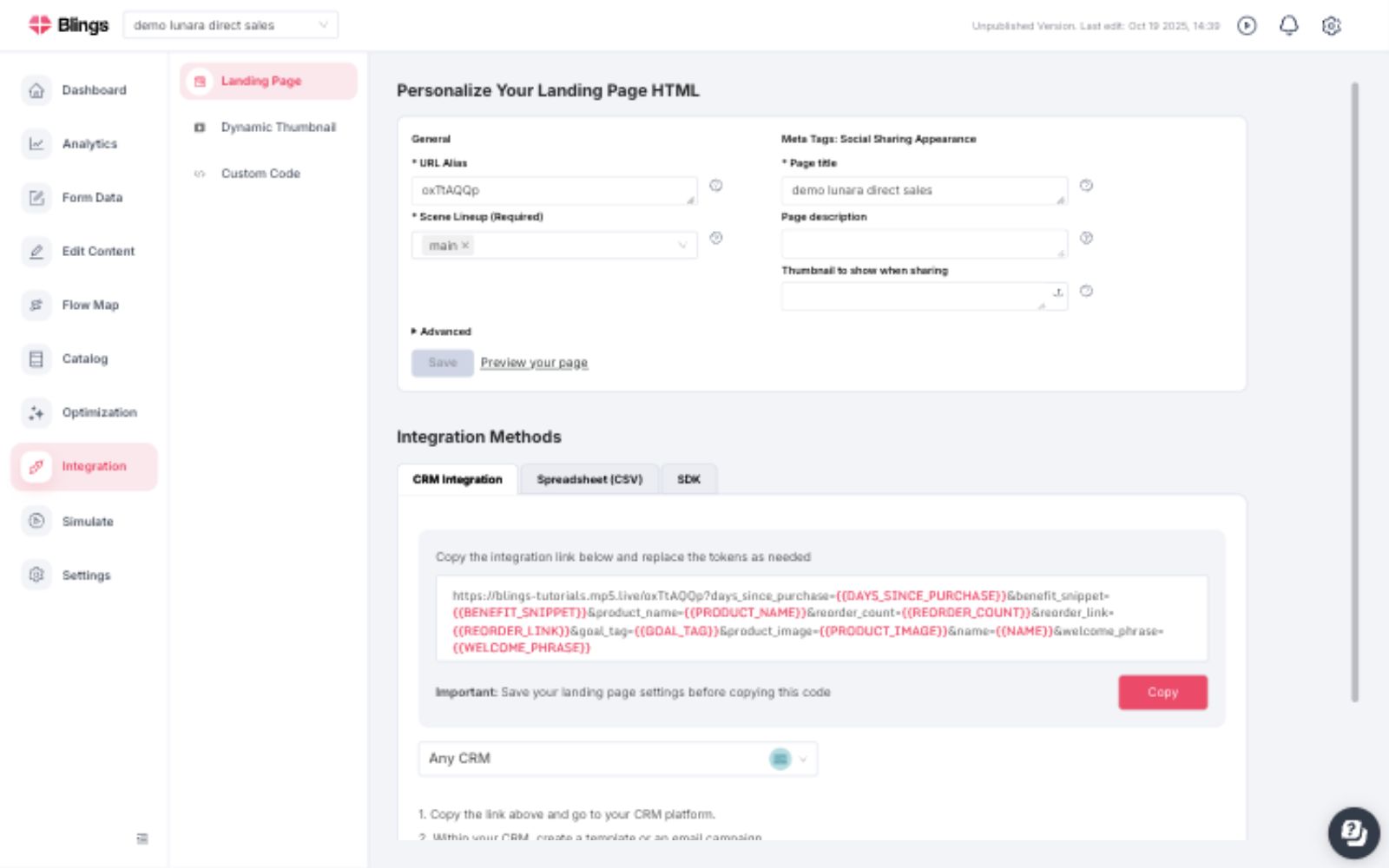
Integration is the Platform area for delivery setup. Use it to collect the generated landing page URL, CRM link format, dynamic thumbnail URL, custom code, spreadsheet output, or SDK details for the project.
Integration does not test viewer data or rendered personalization. Use [Simulation](/apps/blings-platform/simulation.md) when you need to preview the MP5 with representative profiles.
## What Integration Provides
Use Integration to review and copy:
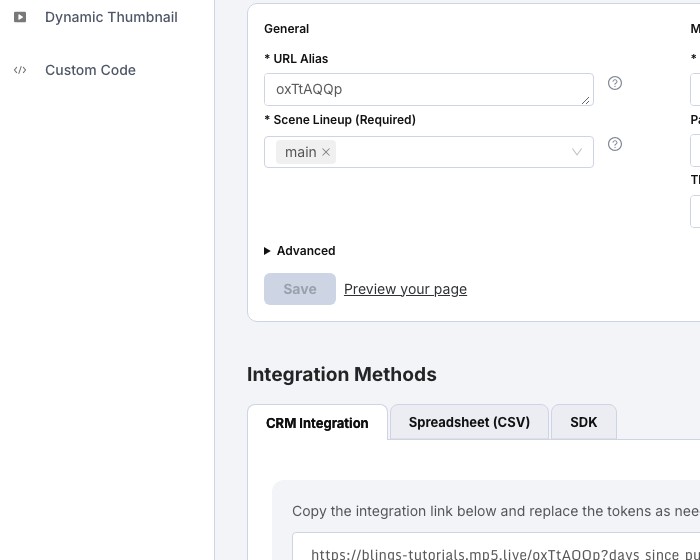
* **Landing Page** settings, including URL alias, selected scene lineup, page title, page description, social thumbnail, and preview link.
* **Dynamic Thumbnail** setup for personalized image or GIF delivery in email, messaging, and share surfaces.
* **Custom Code** for hosted-page customization, direct embed behavior, or implementation-specific JavaScript.
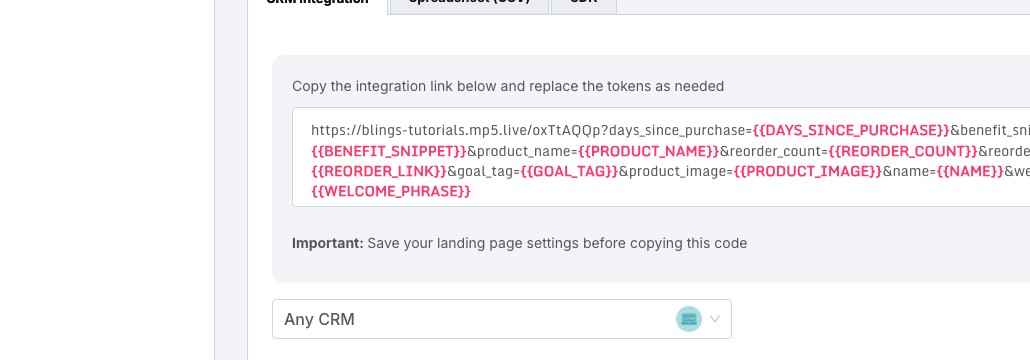
* **Integration Methods** for CRM links, Spreadsheet or CSV delivery, and SDK implementation details.
## Integration Types
| Method | Use it when | Platform output to collect | Implementation guide |
| ---------------------------------------------- | ------------------------------------------------------------------------------------------------------------ | --------------------------------------------------------------------------------------------------- | ------------------------------------------------------------------------------------------------------------------------------------------------------------------------------------------- |
| Blings-hosted landing page with URL parameters | You are sending through email, SMS, push, or a CRM campaign and can place merge tags in the link. | Landing page URL, selected lineup, CRM Integration URL format, required parameter names. | [CRM data integration](/role-guides/developer/getting-started/how-to-connect-my-data-to-the-sdk/crm-data-integration.md) |
| Dynamic thumbnails | You want personalized email or messaging thumbnails that match the viewer data used by the MP5. | Dynamic thumbnail URL, thumbnail parameter mapping, and the final click-through URL. | [Embedding GIF with Blings Dynamic Thumbnail](/role-guides/developer/getting-started/how-to-connect-my-data-to-the-sdk/crm-data-integration/embedding-gif-with-blings-dynamic-thumbnail.md) |
| Spreadsheet or CSV | You need a manual send, controlled test batch, data upload, or one-time campaign without a live system. | Spreadsheet/CSV instructions, sample file format, key column, and matching project fields. | [Spreadsheet Data Integration](/role-guides/developer/getting-started/how-to-connect-my-data-to-the-sdk/spreadsheet-data-integration.md) |
| CRM-hosted landing page | The CRM or ESP should host the page and inject personalization into the page before the player loads. | Landing page settings, custom code or HTML output, field names, and selected lineup. | [CRM data integration](/role-guides/developer/getting-started/how-to-connect-my-data-to-the-sdk/crm-data-integration.md) |
| Custom HTML page | You want to host the player on your own web server while using Blings project configuration. | Custom Code or HTML output, project ID, selected lineup, SDK initialization details. | [Getting Started with Blings.io Dynamic Video SDK](/role-guides/developer/getting-started/getting-started-with-blings.io-dynamic-video-sdk.md) |
| SDK or custom API | Your website, app, backend, CDP, or product needs to assemble data at runtime and pass JSON into the player. | SDK tab details, project ID, field schema, scene or lineup information, and any required settings. | [Custom API Integration](/role-guides/developer/getting-started/how-to-connect-my-data-to-the-sdk/custom-api-integration.md) |
| Mobile WebView | A native iOS or Android app should open the hosted MP5 page or a custom SDK page inside the app. | Hosted page URL or custom page URL, supported query parameters, and any Advanced custom JavaScript. | [Embedding Blings MP5 Videos in Mobile Apps](/role-guides/developer/getting-started/advanced-topics/webview-integration.md) |
## How to Choose
| Requirement | Recommended path |
| ----------------------------------------------------------------------------------------------- | --------------------------------------------------------------------------- |
| Fastest campaign launch from a CRM or ESP | Blings-hosted landing page with CRM merge tags in URL parameters. |
| Email needs a personalized preview image or GIF | Add Dynamic Thumbnail to the CRM or ESP template. |
| One-time campaign, proof of concept, or offline list | Spreadsheet or CSV. |
| CRM must own the page URL, consent layer, or page template | CRM-hosted landing page. |
| Data is sensitive or should not appear in a URL | SDK/custom API or CRM-hosted landing page with data injected into the page. |
| Personalization depends on backend logic, CDP enrichment, authentication, or live product state | SDK/custom API. |
| Same MP5 must appear inside a mobile app | Hosted page or SDK page inside a WebView. |
| The experience needs custom JavaScript on the hosted page | Integration custom code or the SDK page that your team hosts. |
## Get Instructions Correctly
Follow this order when preparing instructions for a CRM owner or developer:
1. Confirm the project and environment. Do not copy links, IDs, code, or parameter names from another project.
2. Open **Settings -> Dynamic Data** and confirm the exact field names the MP5 expects.
3. Open **Integration -> Landing Page** and confirm the URL alias, selected lineup, page title, page description, social thumbnail, and preview link.
4. Save landing page changes before copying generated links or code.
5. Open the correct **Integration Methods** tab: **CRM Integration**, **Spreadsheet (CSV)**, or **SDK**.
6. Copy the generated output from Platform, then replace sample values only where the target system requires its own merge-tag syntax or JSON data source.
7. If using Dynamic Thumbnail, copy the thumbnail URL after the main video URL and parameter mapping are stable.
8. Send the implementation owner the chosen method, generated output, required fields, fallback expectations, and the relevant Developer and Integration article.
9. Run an end-to-end test from the delivery system.
{% hint style="info" %}
For CRM and ESP links, parameter names should match the project Dynamic Data fields. Parameter values should use the CRM's merge-tag syntax, such as a contact first name token, account tier token, or offer token.
{% endhint %}
## Related Developer and Integration Guides
{% content-ref url="/pages/rTx9aOZIbm1v2elhBsNO" %}
[How to connect my data to the video](/role-guides/developer/getting-started/how-to-connect-my-data-to-the-sdk.md)
{% endcontent-ref %}
{% content-ref url="/pages/rTytoLcUpSsZ4sN3AAYj" %}
[CRM data integration](/role-guides/developer/getting-started/how-to-connect-my-data-to-the-sdk/crm-data-integration.md)
{% endcontent-ref %}
{% content-ref url="/pages/thSNEDOdBjolOX03iees" %}
[Custom API Integration](/role-guides/developer/getting-started/how-to-connect-my-data-to-the-sdk/custom-api-integration.md)
{% endcontent-ref %}